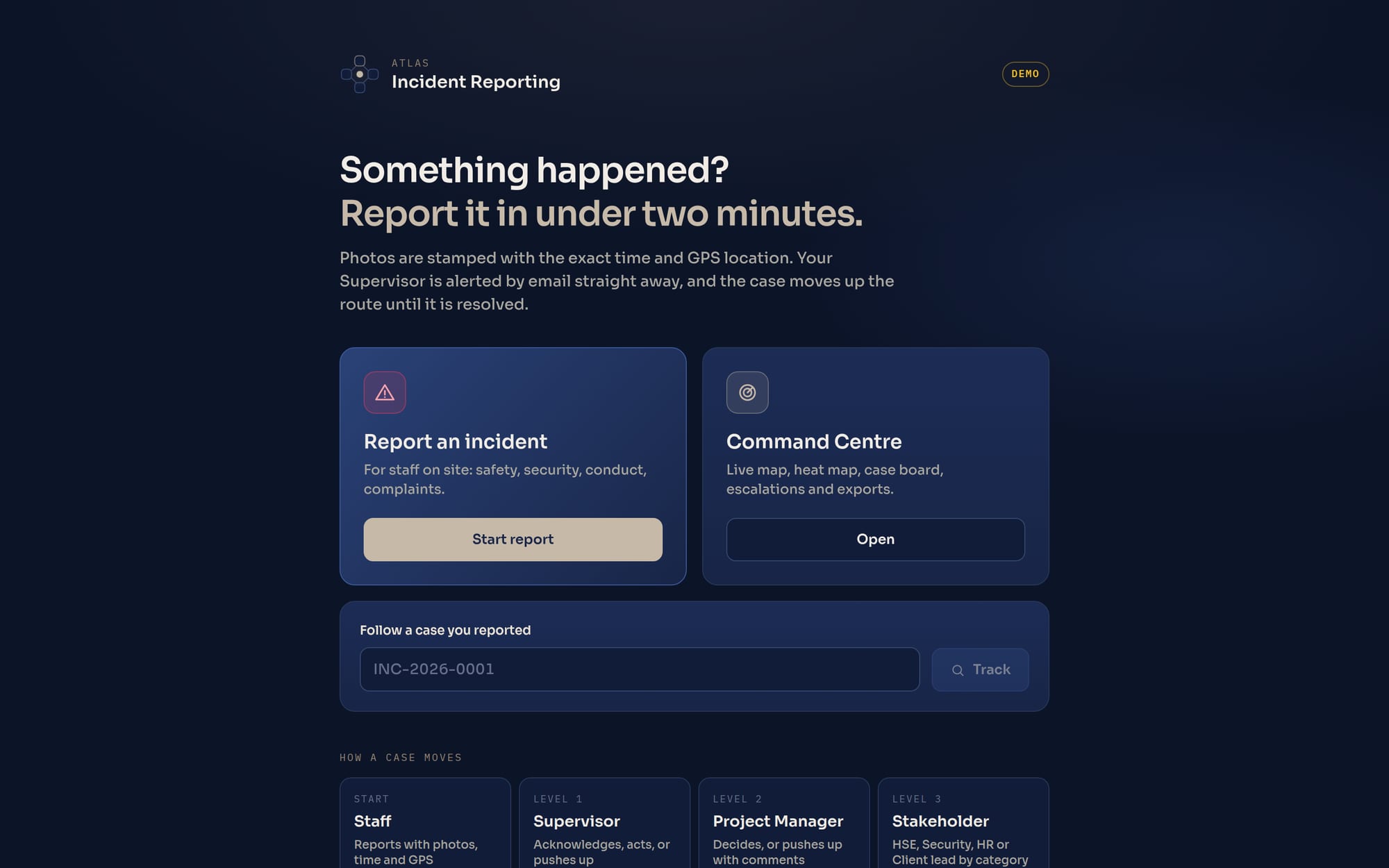
Atlas · Incident Reporting

Every incident on record.
Escalated. Resolved.

Your staff report incidents from their phone in under two minutes, with photo evidence stamped with the exact time and GPS location, even with no signal. The right people are emailed instantly, and each case moves up a clear escalation route until it is closed, tracked live in one Command Centre.
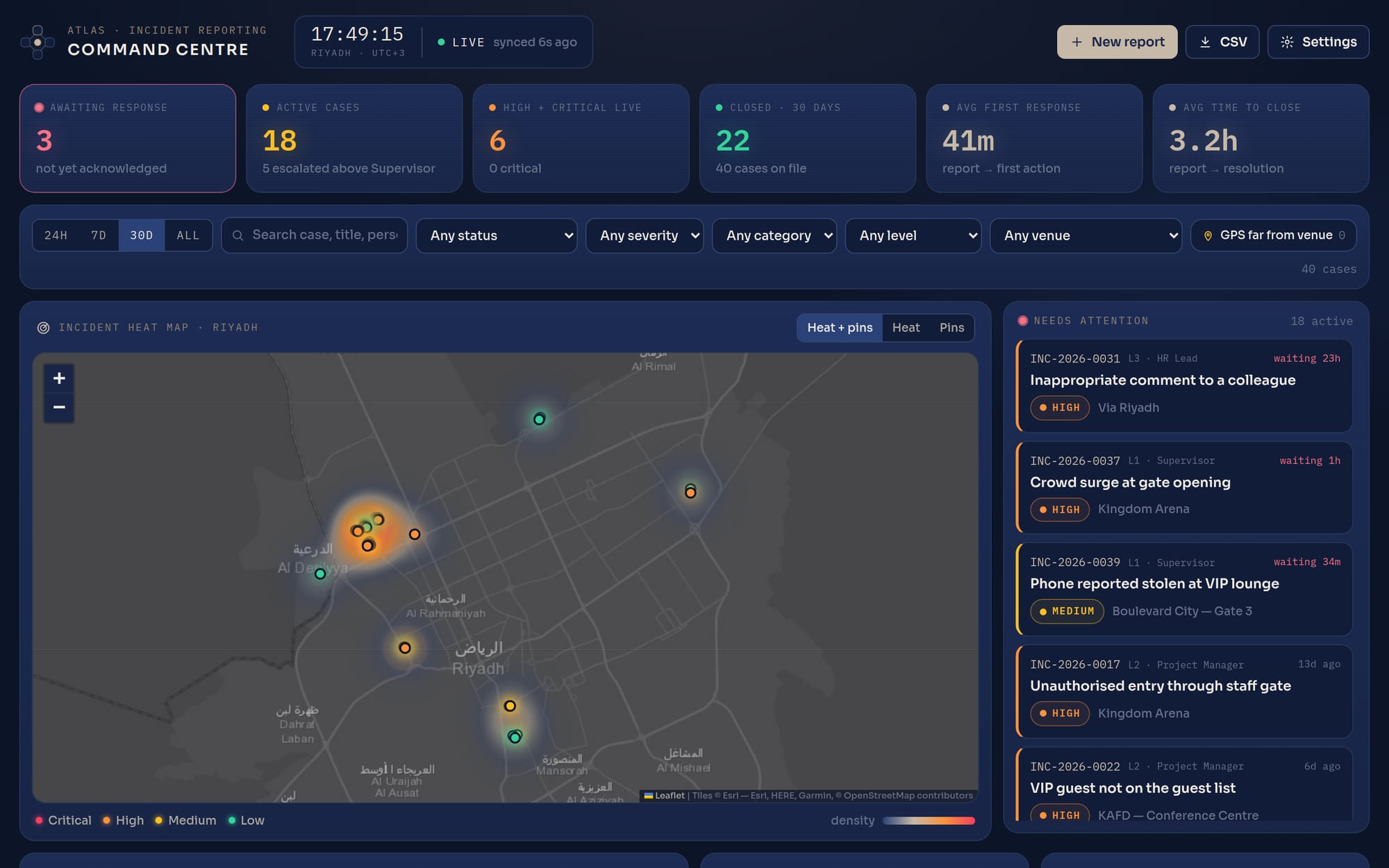
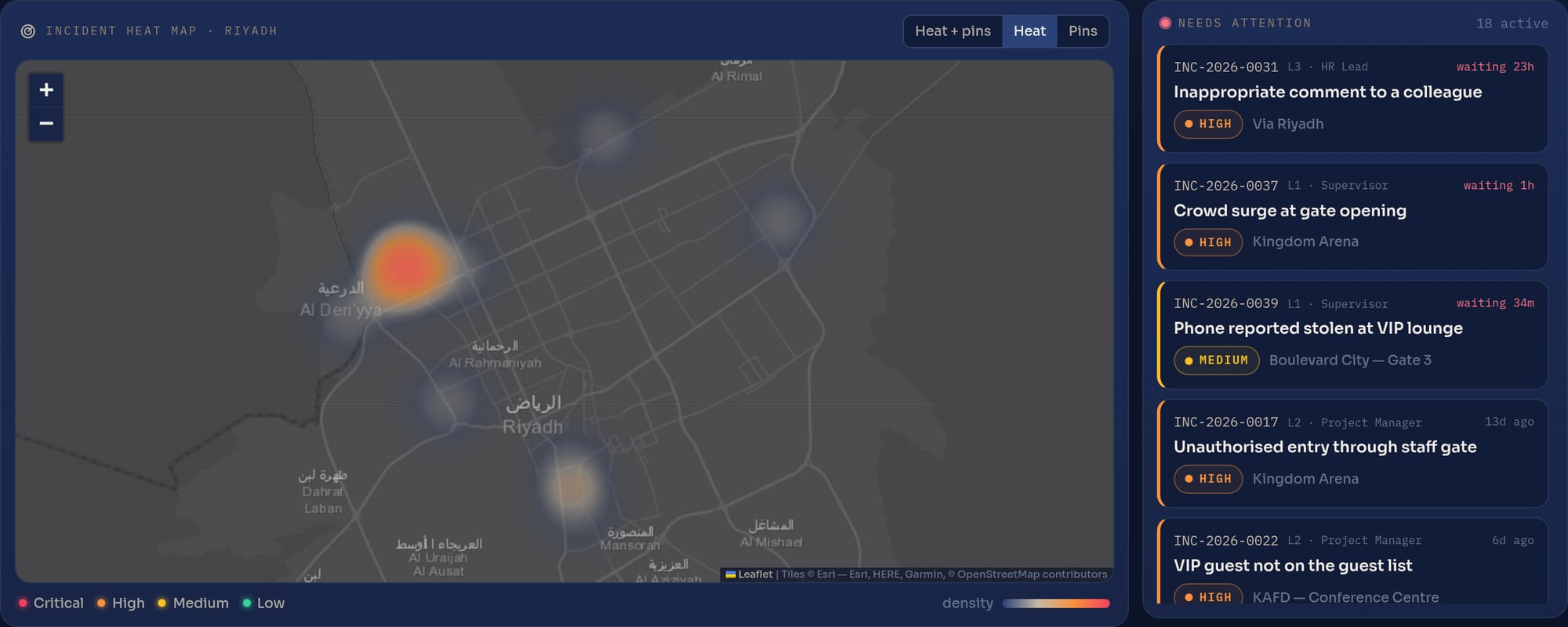
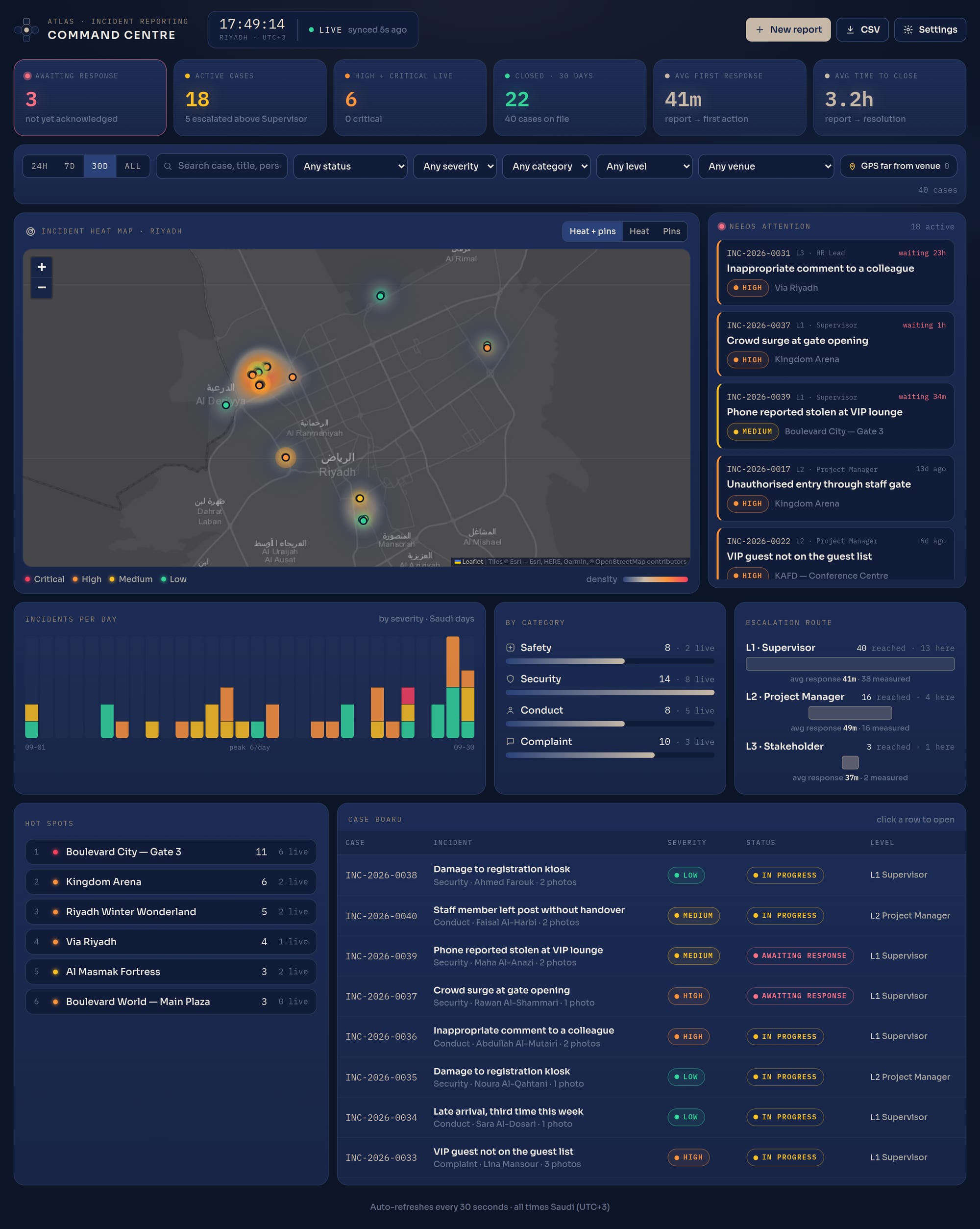
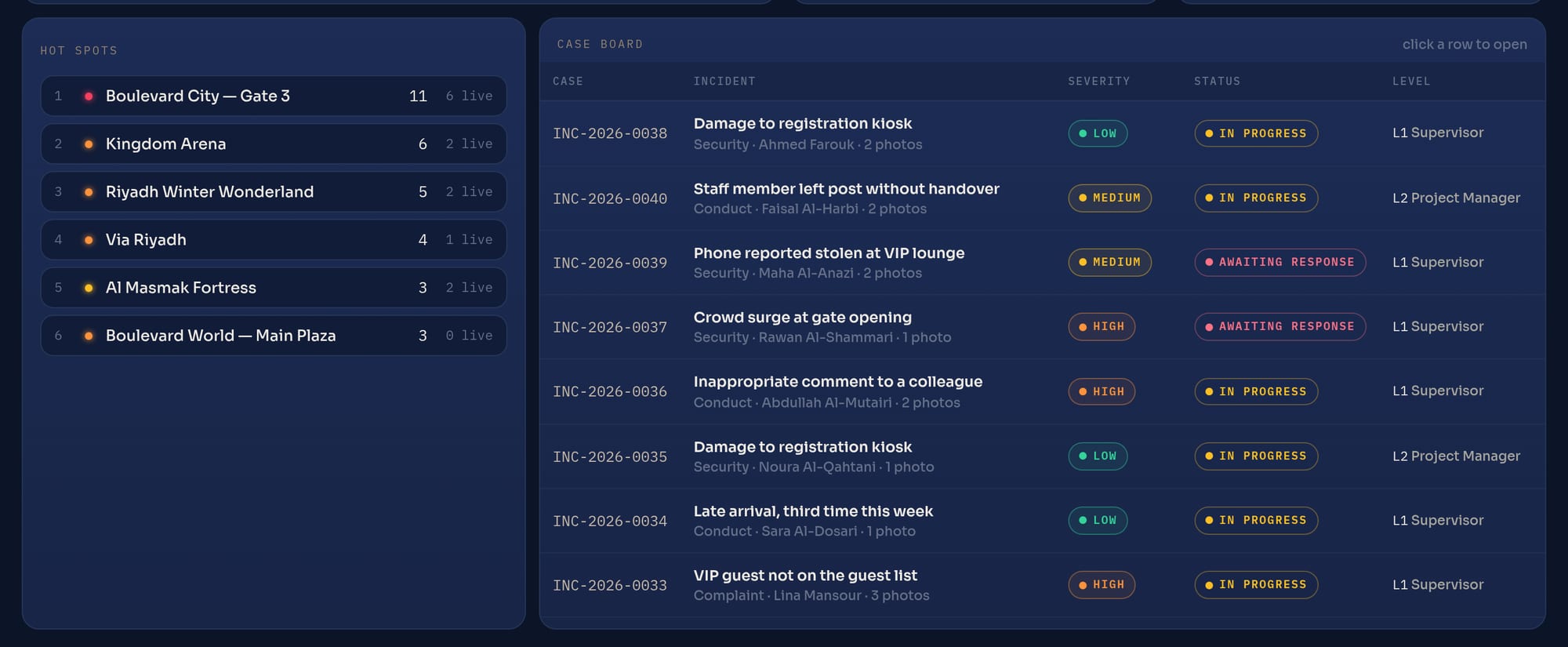
The Command Centre: live counters, incident heat map over Riyadh and the needs-attention list
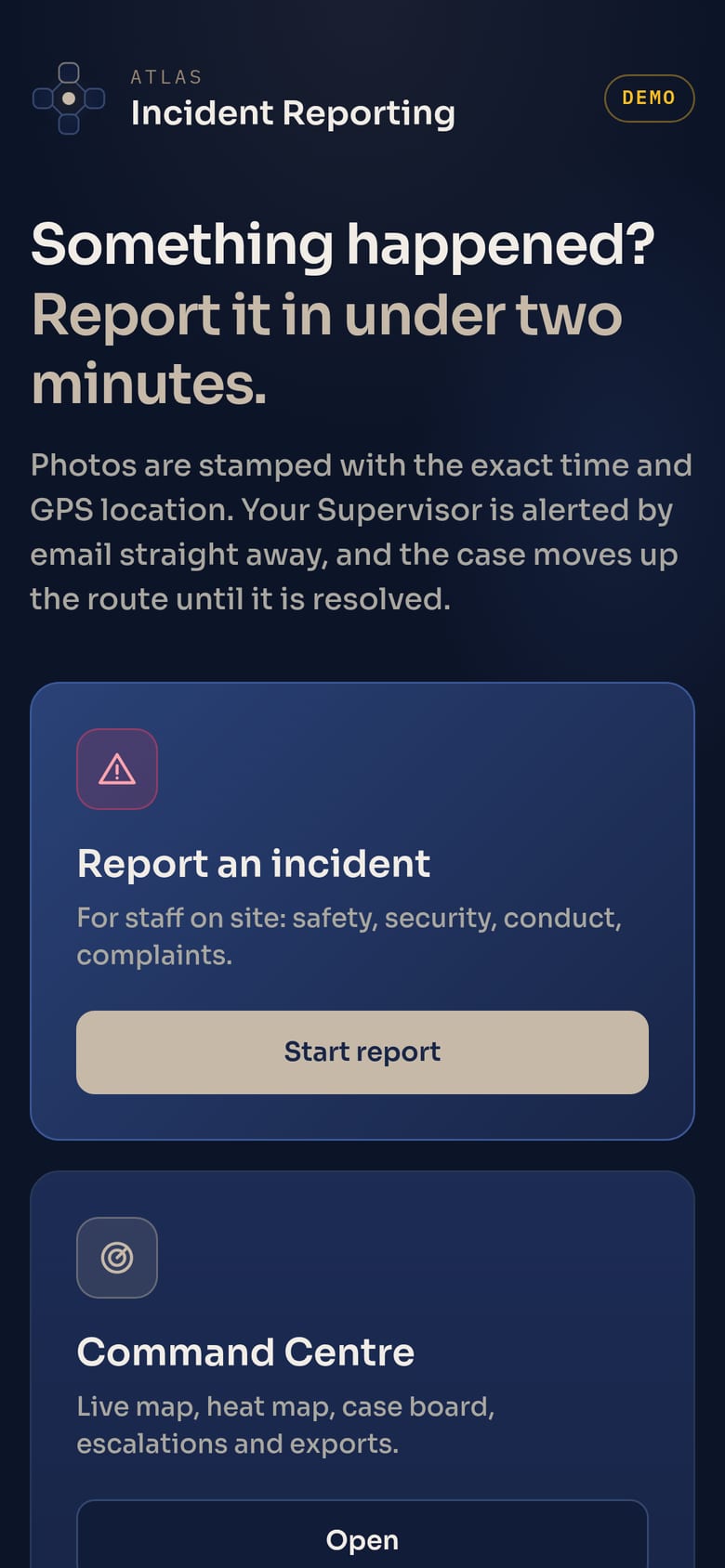
The staff reporting form on a phone
< 2 minto file a report from any phone. No app to install
4 levelsStaff → Supervisor → Project Manager → Stakeholder
GPSlocation and its accuracy, stamped into every photo
Offlinereports save on the phone with no signal and send themselves later
The problem

Incidents get lost between a phone call and a WhatsApp group.

No single record

Reports arrive by voice note, chat or not at all. Weeks later nobody can say what happened, when, or who was told.

Evidence you can't trust

A photo in a chat has no reliable time or place attached. It could be from yesterday, or from another venue.

Escalation by memory

Serious cases stall with the first person who heard about them. Managers find out late, and clients find out first.

How it works

One route, from the floor to the people who decide.

Every case has a number, an owner and a full timeline. It moves up only when someone pushes it with their comments, so every step is explained and on record.

01 · REPORT

Staff

Report on the phone: category, severity, what happened, stamped photos, exact location.

02 · LEVEL 1

Supervisor

Emailed instantly. Acknowledges, acts, comments, or pushes it up with feedback.

03 · LEVEL 2

Project Manager

Receives the full case plus the Supervisor's note. Decides, or pushes it up.

04 · LEVEL 3

Stakeholder

The right owner by category: HSE, Security, HR or the Client lead. Closes with a resolution.

Report from any phone

Two minutes. No app. No training.

A link on the phone's home screen opens a guided form built for staff working a busy shift.

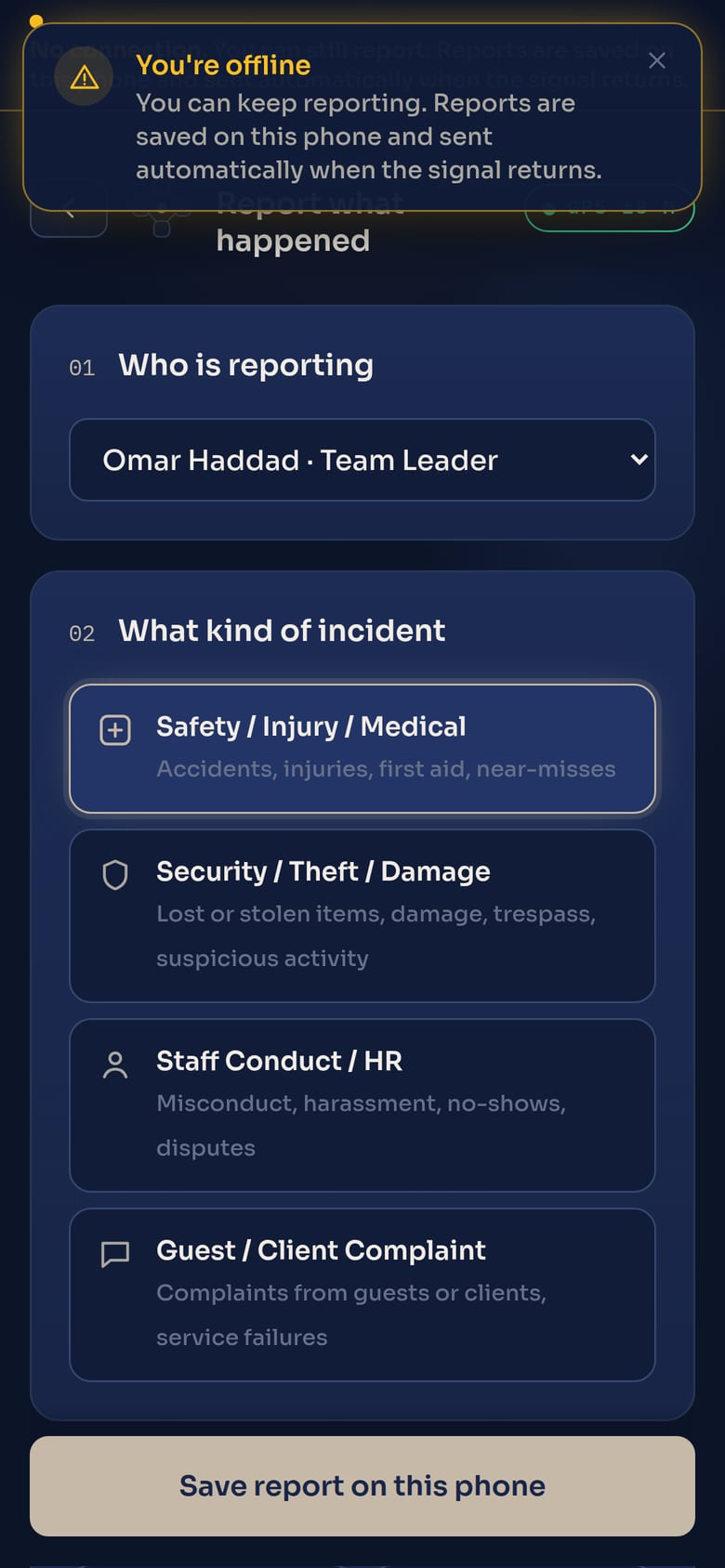
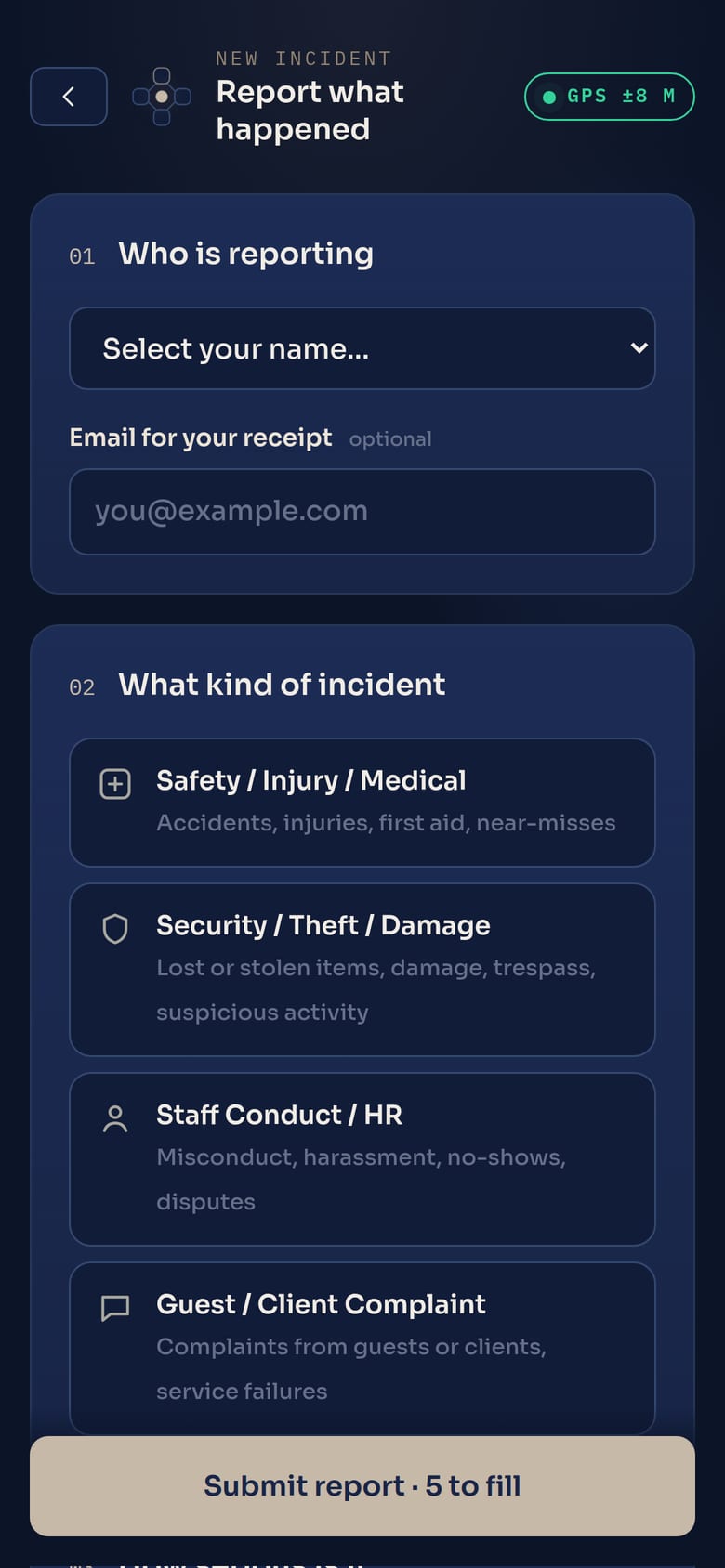
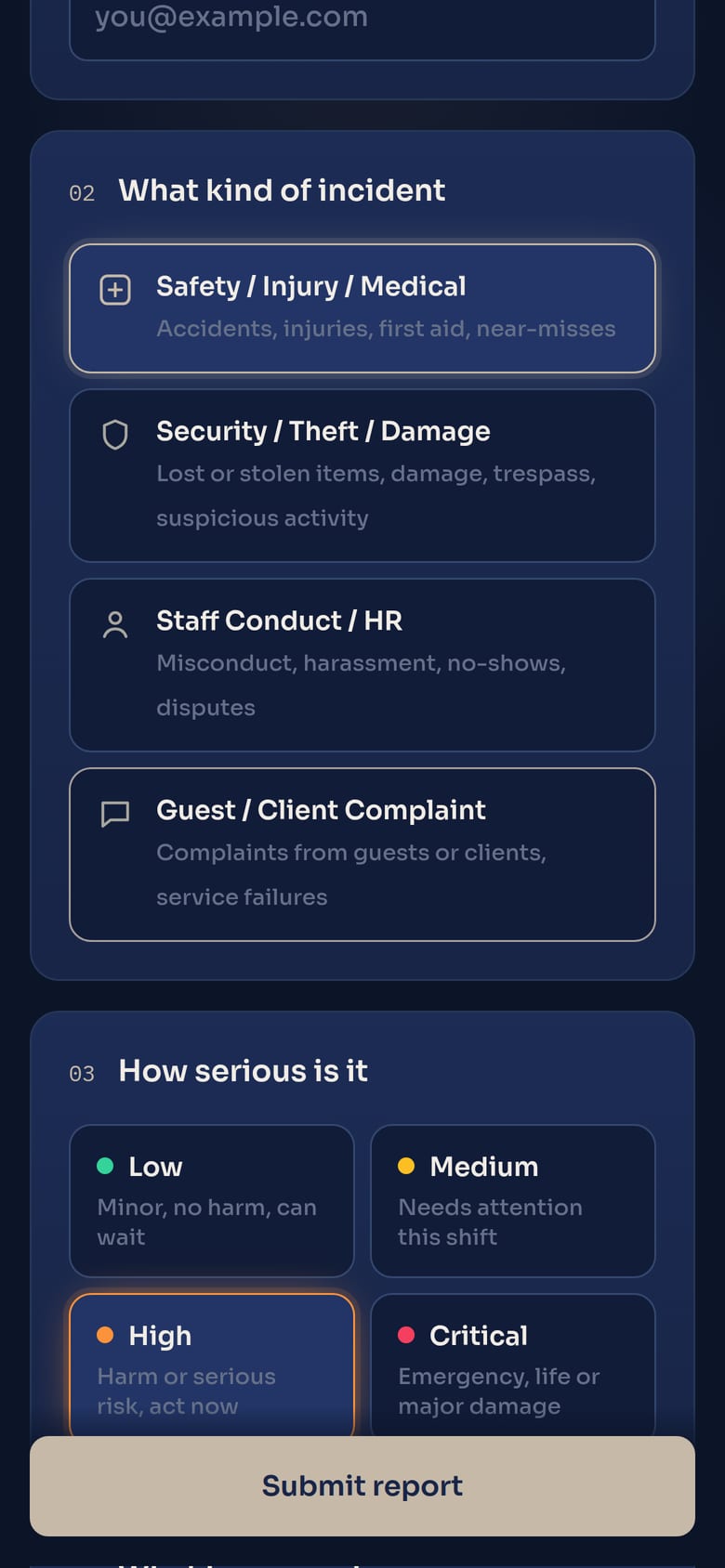
  • Pick your name, tap a category and a severity. Safety, Security, Staff Conduct or Guest/Client Complaint. Low to Critical.
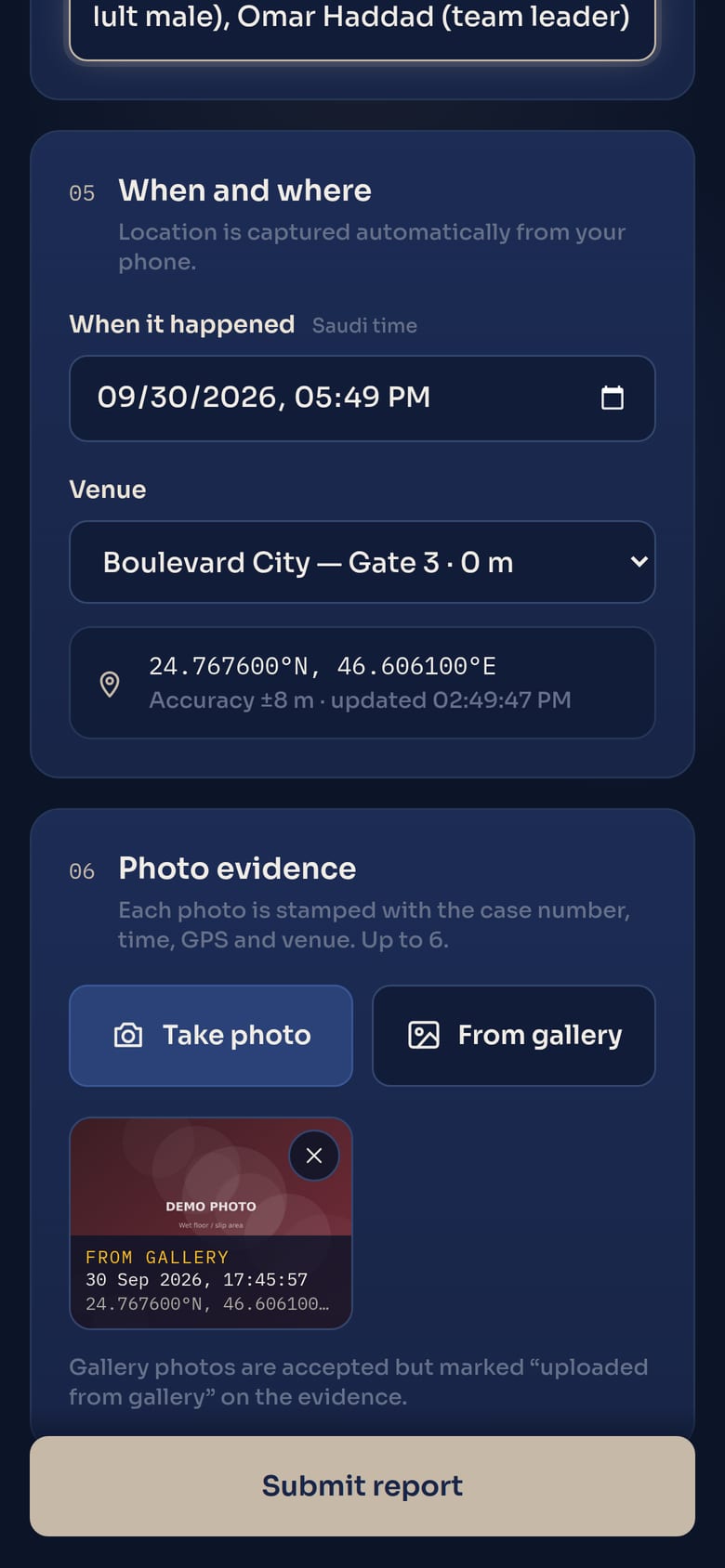
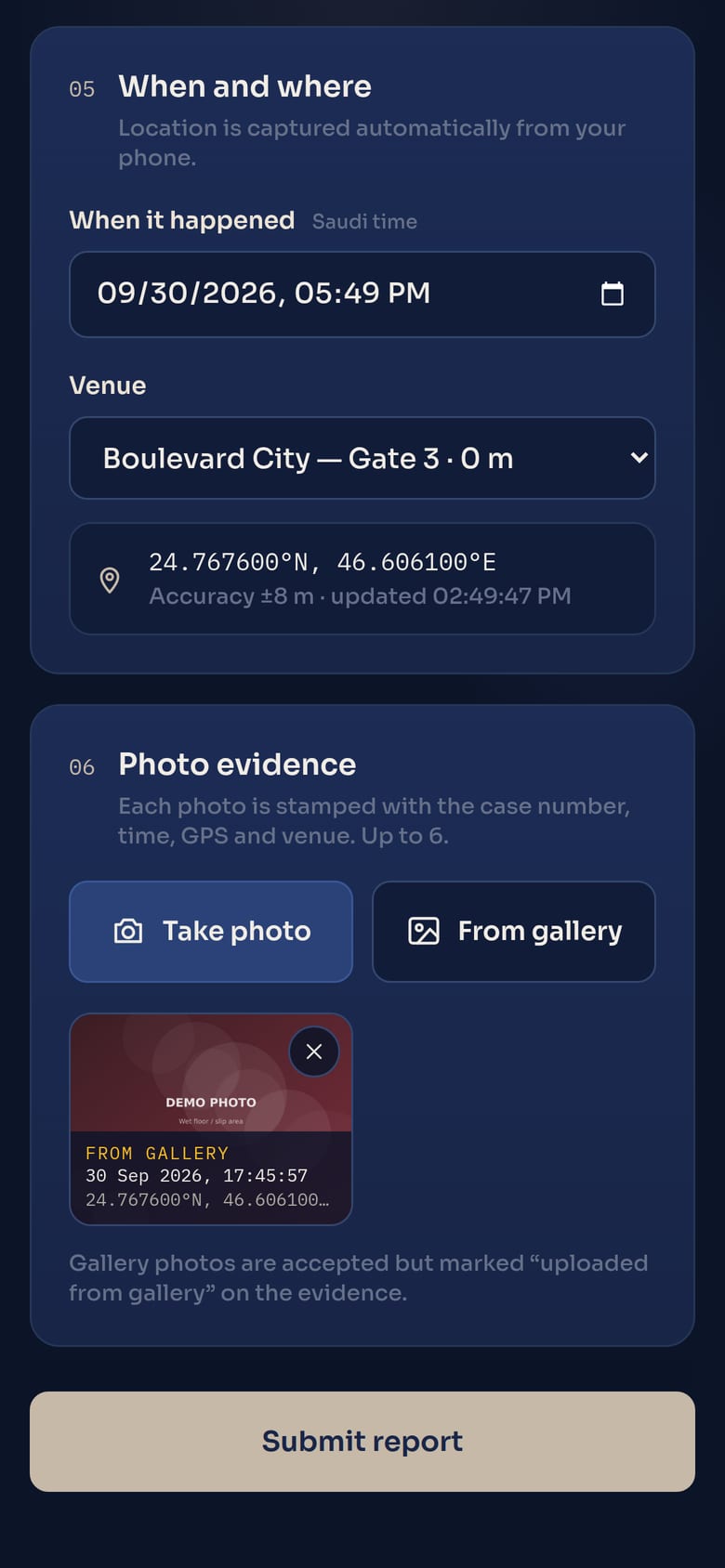
  • Location is automatic. GPS is captured with its accuracy, and the nearest venue is pre-selected.
  • Photos from the live camera. Up to six per report, shrunk on the phone so they send even on a weak venue signal.
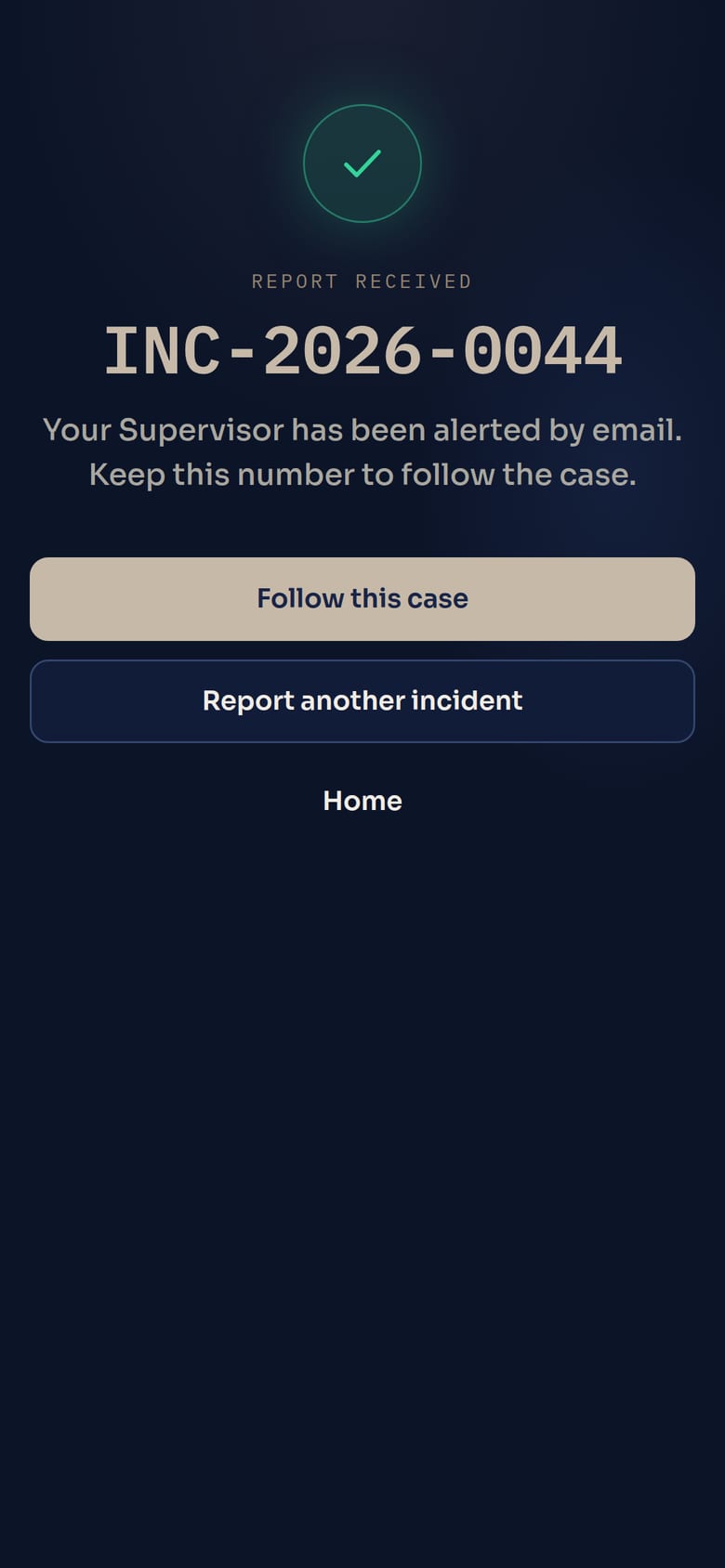
  • A case number, straight away. INC-2026-0044, with a link to follow the case. A receipt is emailed if the reporter wants one.
Choosing a category and severity
Category + severity
Photo evidence with stamp preview
Location + stamped photos
Report received with its case number
Case number, instantly
Works with no signal

Basement, stadium bowl, crowded gate. It still gets reported.

Venues lose signal exactly when things go wrong. The form keeps working offline, and nothing is lost.

  • Staff are told straight away. A clear alert says they're offline and can keep reporting.
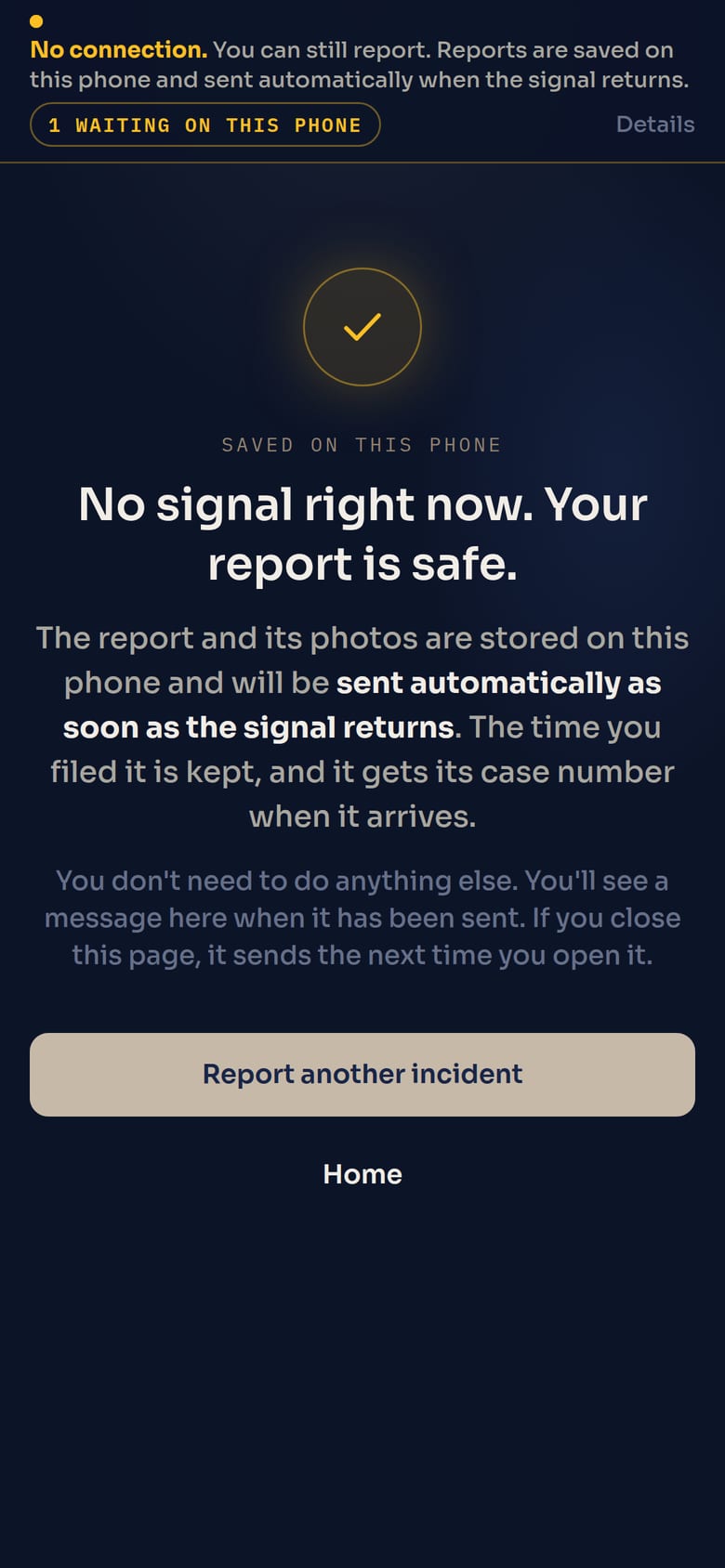
  • Saved safely on the phone. The whole report, GPS and stamped photos included, waits on the device.
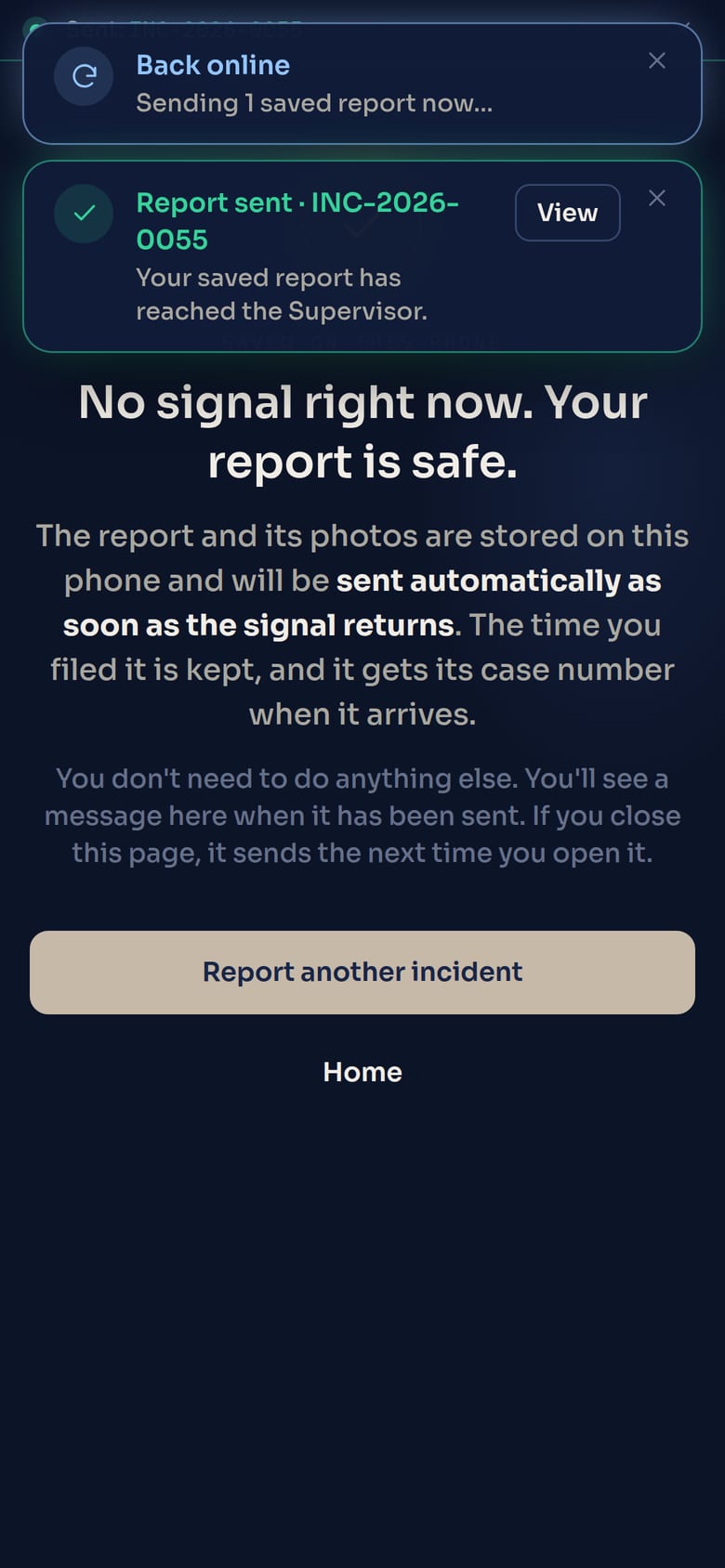
  • Sent automatically when the signal returns. "Back online", then "Report sent · INC-…". Nobody has to remember to retry.
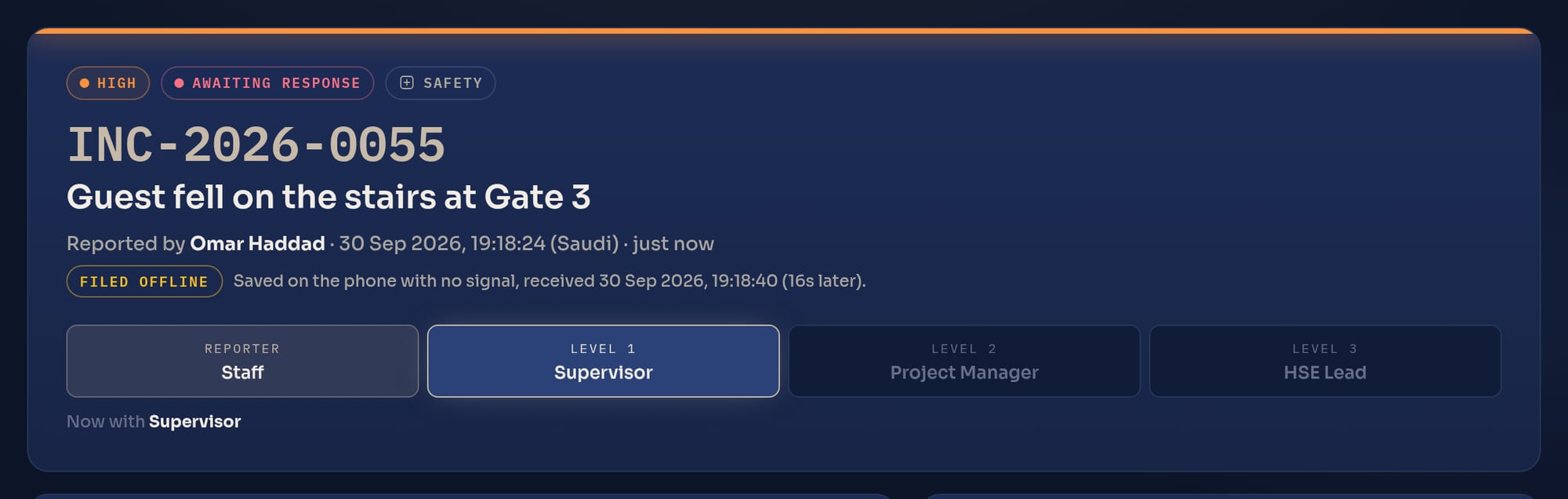
  • The real times are kept. The case shows when it was filed on the phone and when it arrived, marked "Filed offline".
  • Never duplicated. A send that is cut off halfway and retried still opens only one case.
Alert: you're offline, you can keep reporting
Signal lost: staff are told
Report saved on the phone
Saved on the phone
Back online, report sent
Signal back: sent by itself
Case marked Filed offline, with filed and received times
Evidence you can trust

Time, place and source, burned into every photo.

Each photo is stamped by the server when the report is submitted, not typed in by the reporter.

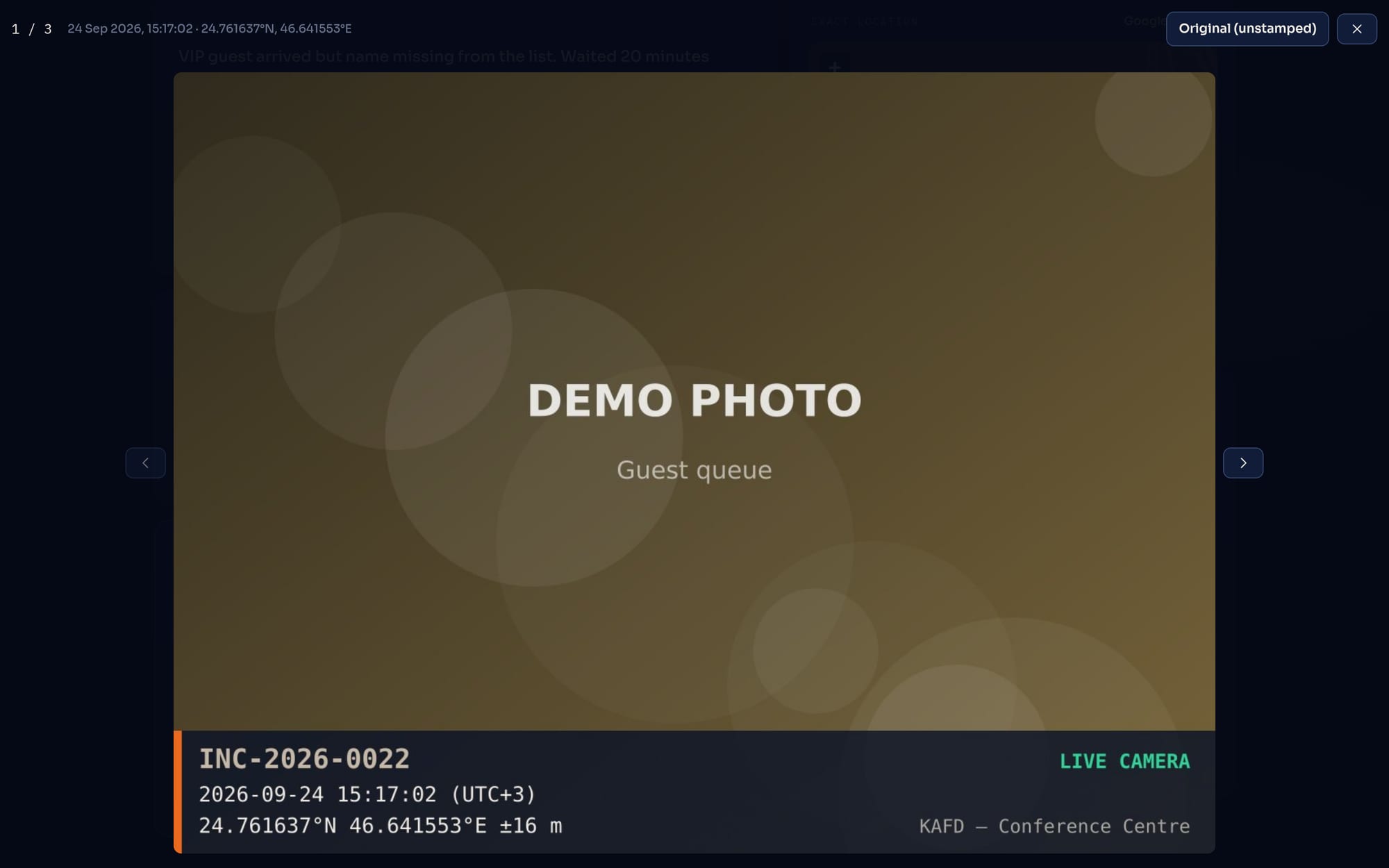
  • Case number, Saudi date and time, GPS and accuracy, venue on a band across the bottom of the image.
  • "LIVE CAMERA" or "UPLOADED FROM GALLERY". Gallery photos are accepted, but always labelled as such.
  • Originals kept. The unstamped photo stays on file for any later review.
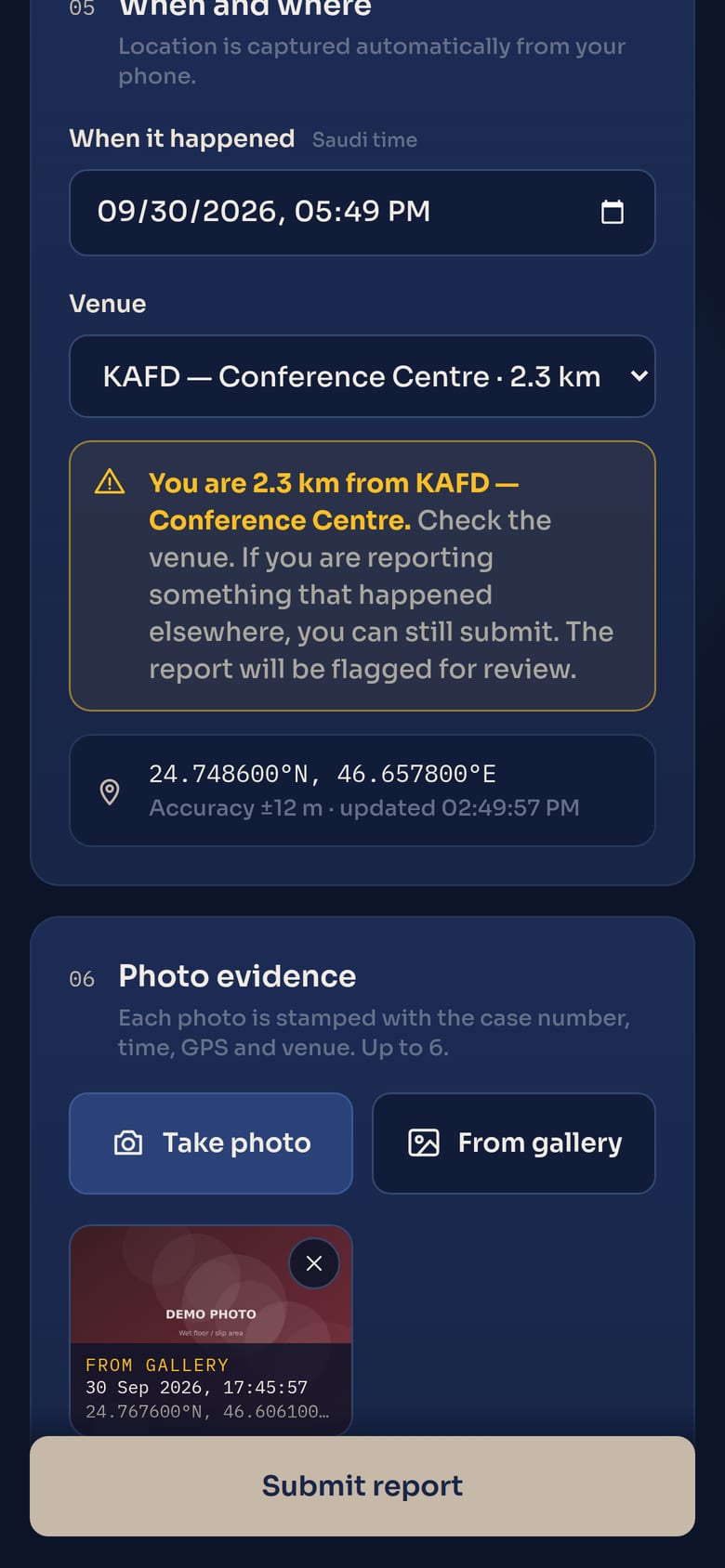
  • Wrong-venue check. If the phone is more than 1 km from the venue picked, the reporter is warned and the case is flagged for review.
A stamped evidence photo showing case number, time, GPS and LIVE CAMERA
Warning that the phone is far from the chosen venue
Wrong-venue warning
Automatic GPS and nearest venue
Automatic GPS + nearest venue
Clear escalation route

Nothing moves up without a reason on record.

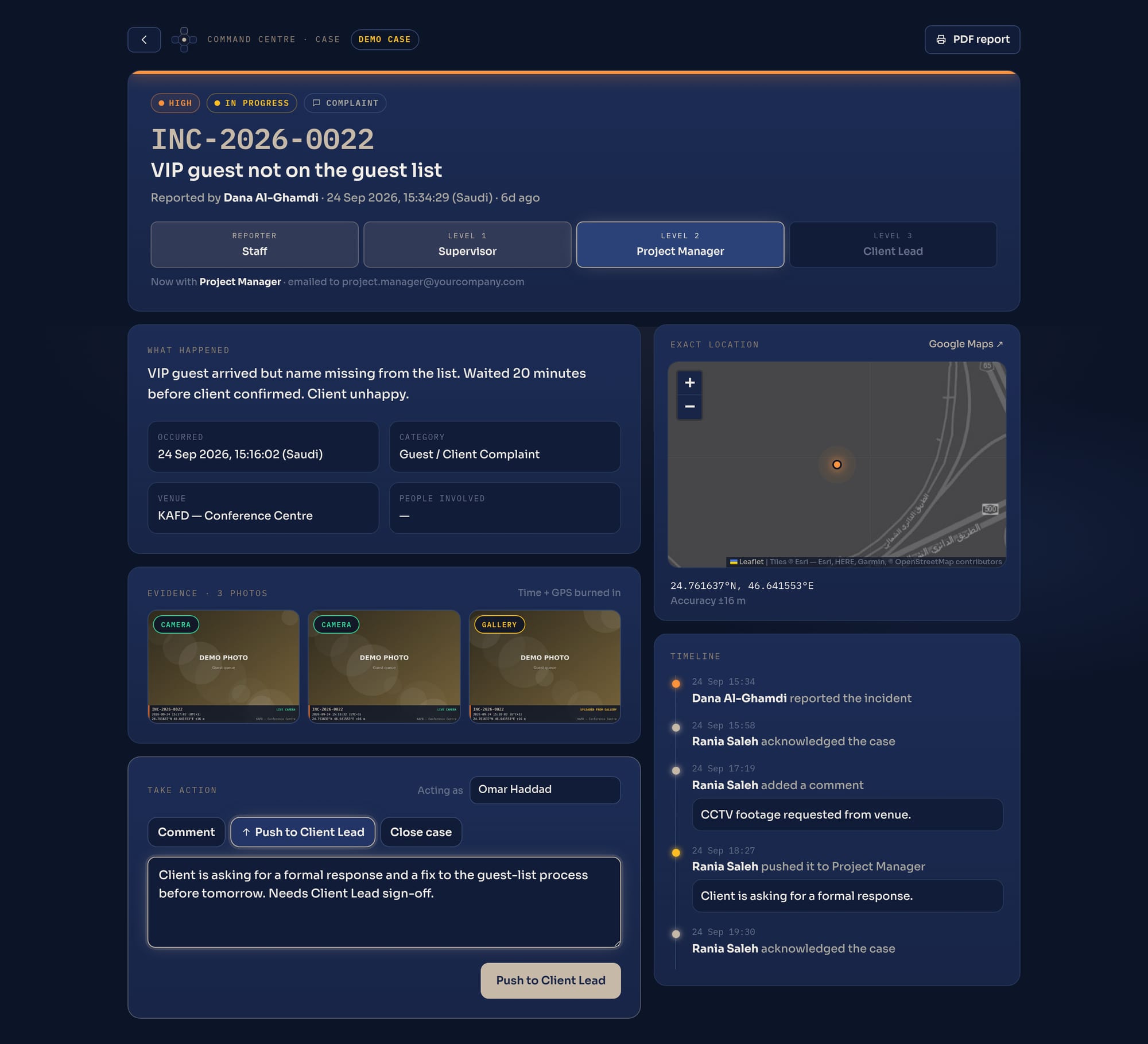
Each level acknowledges, comments, closes, or pushes the case to the next level. A push requires comments, and the next person receives them by email.

REPORTERStaff
LEVEL 1Supervisor
LEVEL 2Project Mgr
LEVEL 3Stakeholder
  • The right owner at the top. Level 3 goes to the stakeholder for that category: HSE lead, Security lead, HR, or Client lead.
  • A complete timeline. Who acknowledged, commented, pushed or closed it, and when. Every email sent is logged too.
  • Closed properly. Closing needs a written resolution, and everyone on the route is told. Cases can be reopened with a reason.
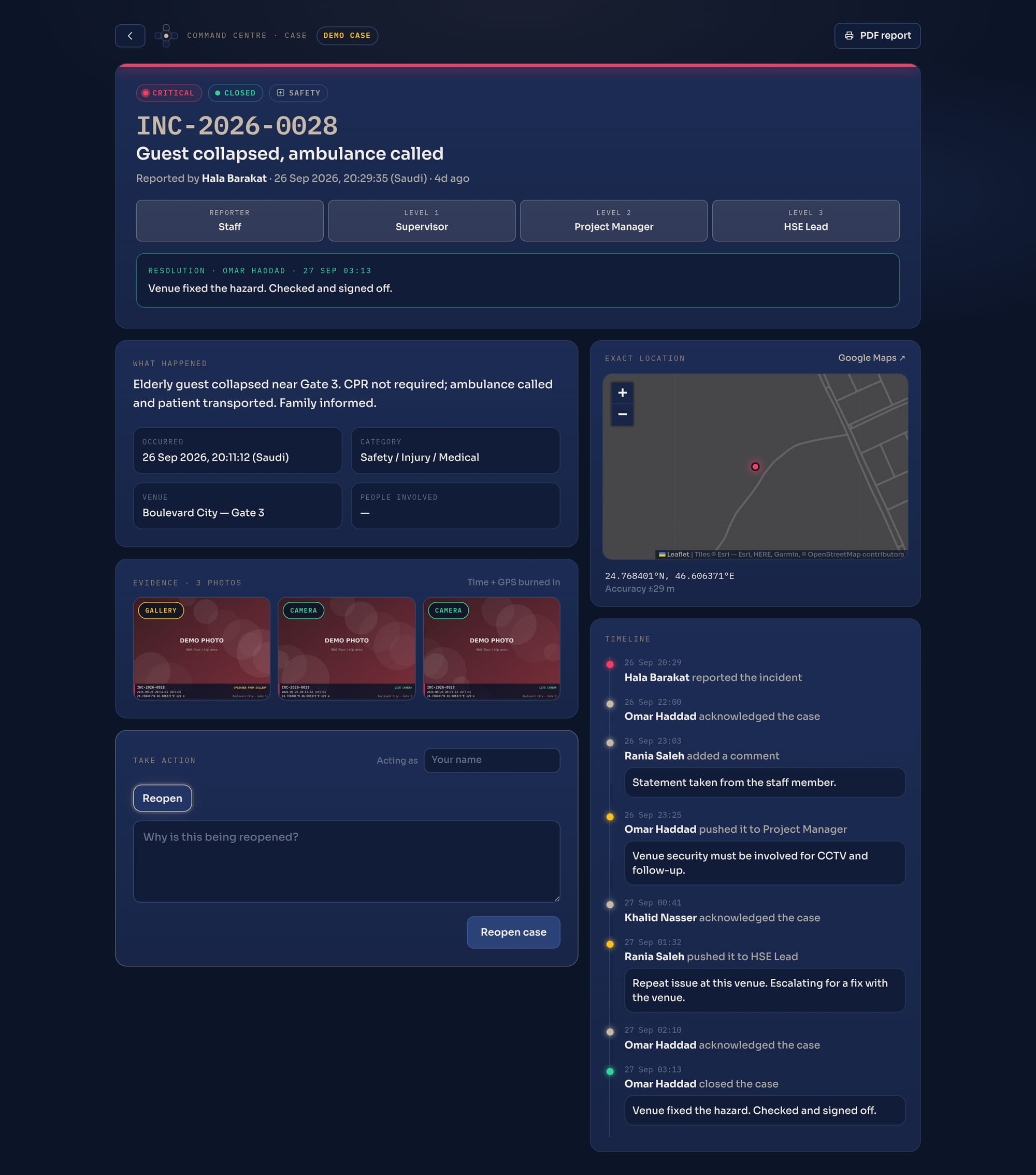
A live case with escalation ladder, evidence, map, timeline and the push-to-next-level action
Automatic email alerts

The right inbox, at every step.

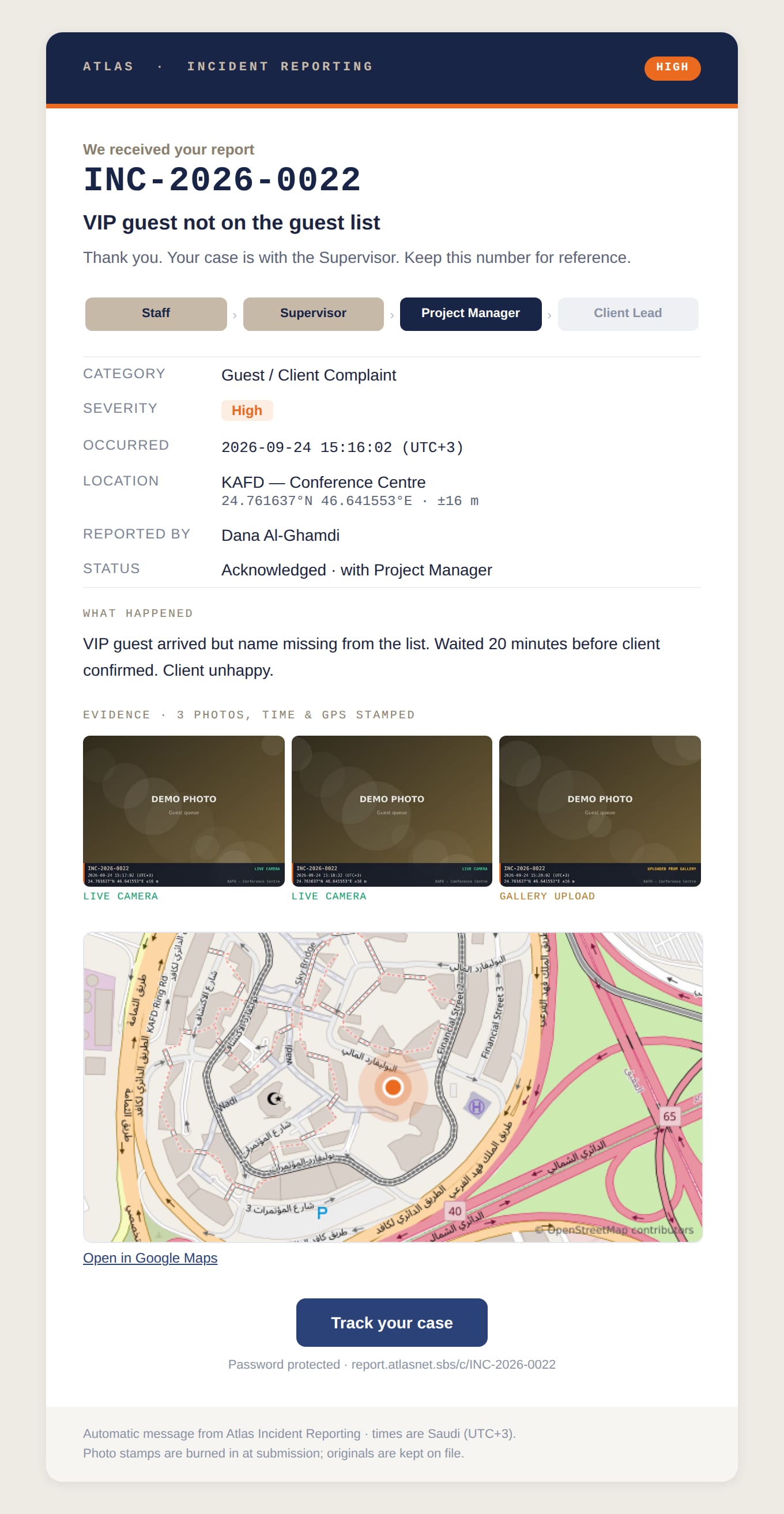
Emails are sent automatically when a case is reported, pushed up, closed or reopened, and a receipt goes to the reporter.

  • Everything needed to act, in the email itself. Severity, the escalation route, the push note, facts, photos and a map of the exact spot.
  • Readable in Outlook, Gmail and on phones. One tap opens the full case in the Command Centre.
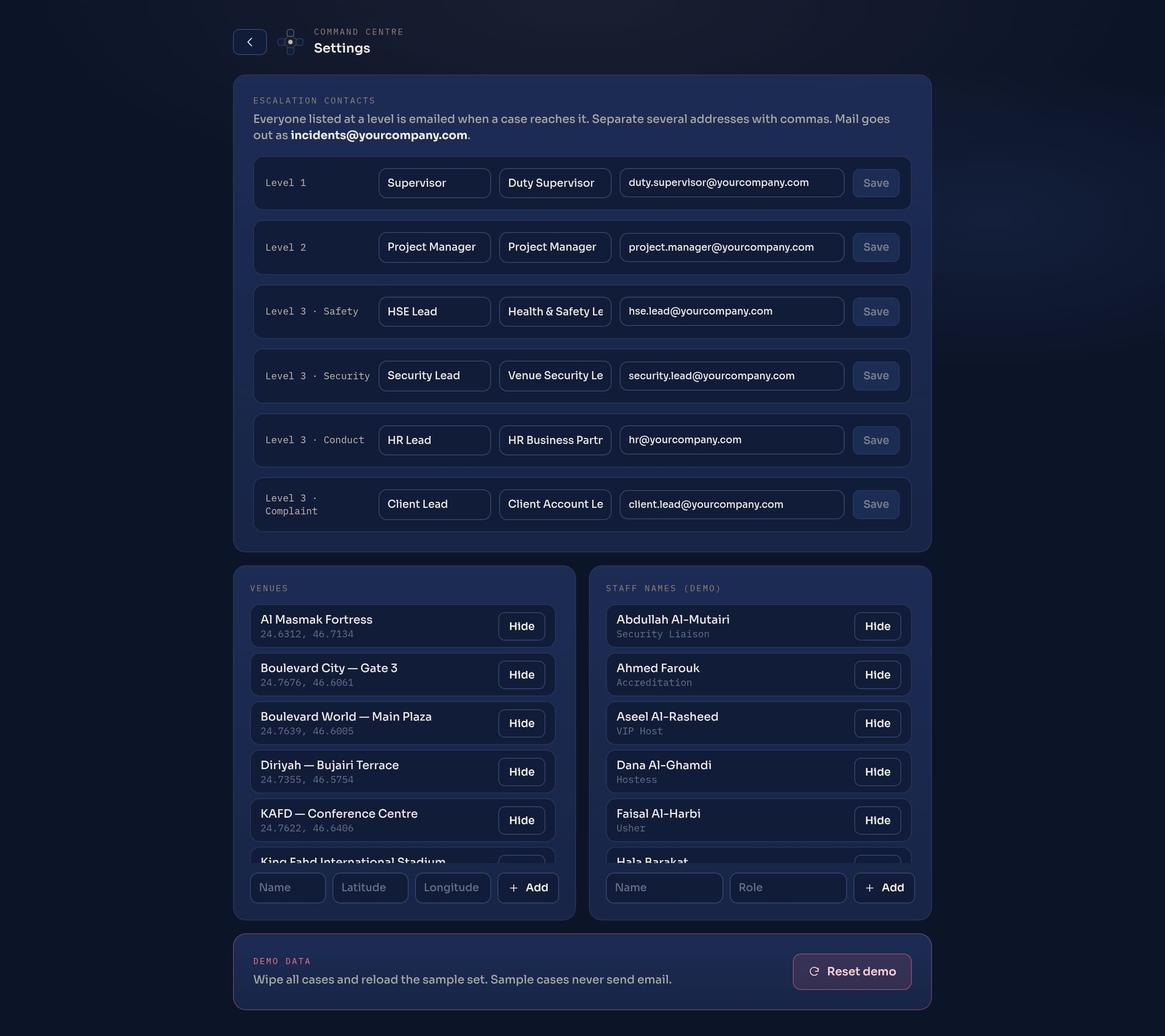
  • Contacts per level, per category. Managed by your admins in Settings, with no developer needed.
Command Centre

See every incident, everywhere, live.

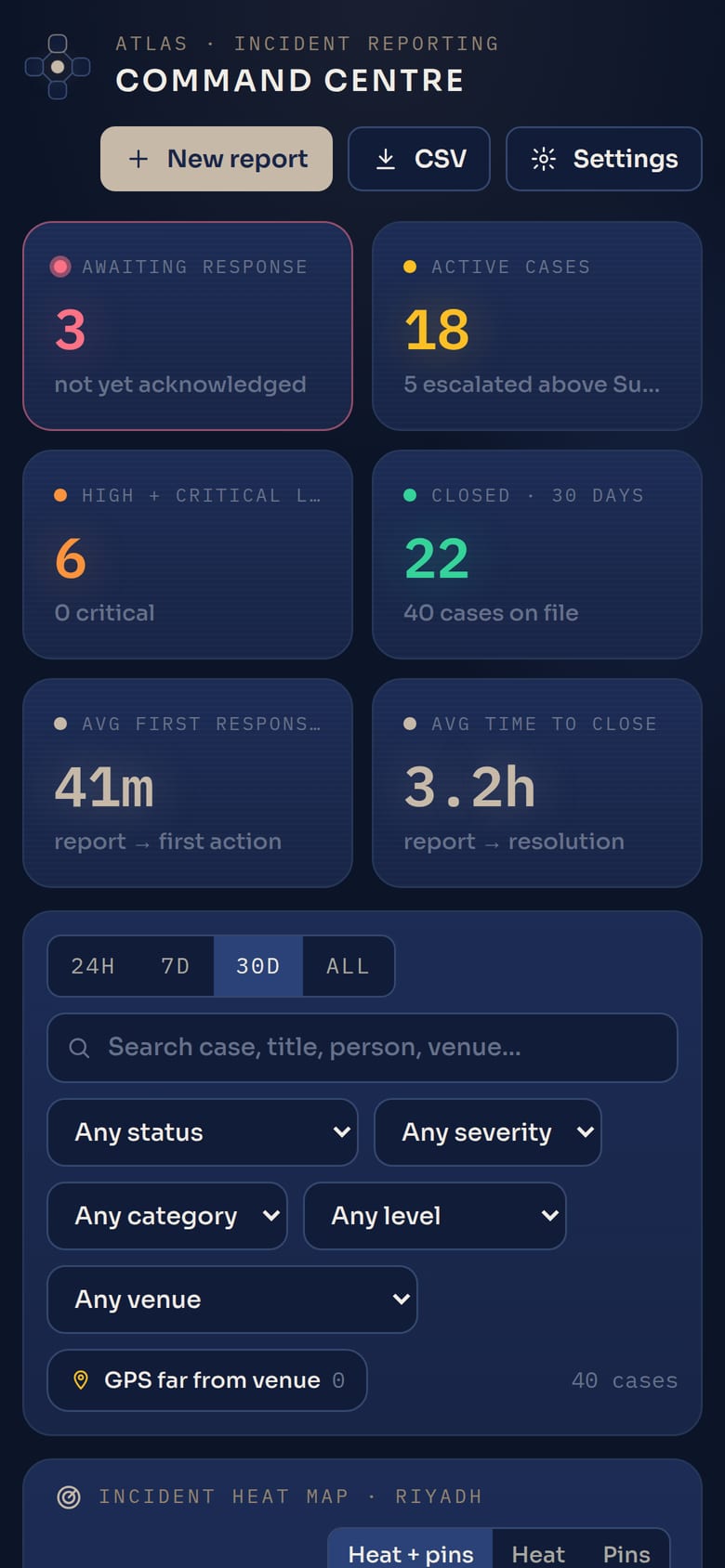
One screen for operations: what needs attention now, where incidents cluster, and how fast each level responds.

Awaiting response Active cases High + critical live Closed Avg first responseAvg time to close
Command Centre overview
Incident heat map over Riyadh
  • Heat map and live pins show where incidents cluster, coloured by severity, with critical cases pulsing.
  • Needs-attention feed. Unacknowledged cases first, worst first, with how long each has waited.
  • Filters for everything. Time range, status, severity, category, level, venue, wrong-venue flag and free-text search.
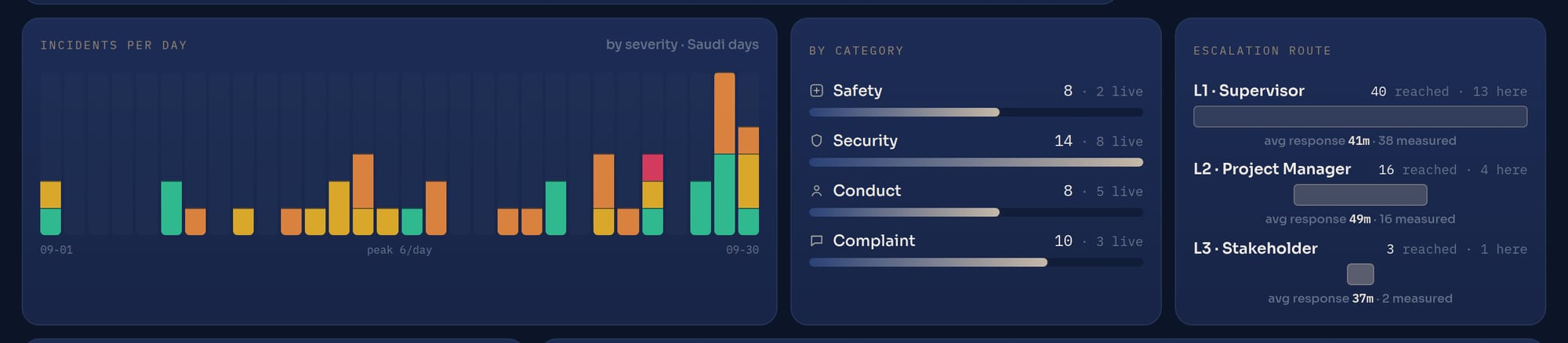
  • Trends and hot spots. Incidents per day, cases by category, the escalation funnel with response time per level, and the busiest venues.
Analytics: incidents per day, by category, escalation route
Case files, reports and exports

Ready for the client, the insurer, or an audit.

A closed case file

Complete case file

Facts, evidence, exact location, resolution and the full timeline of who did what, and when.

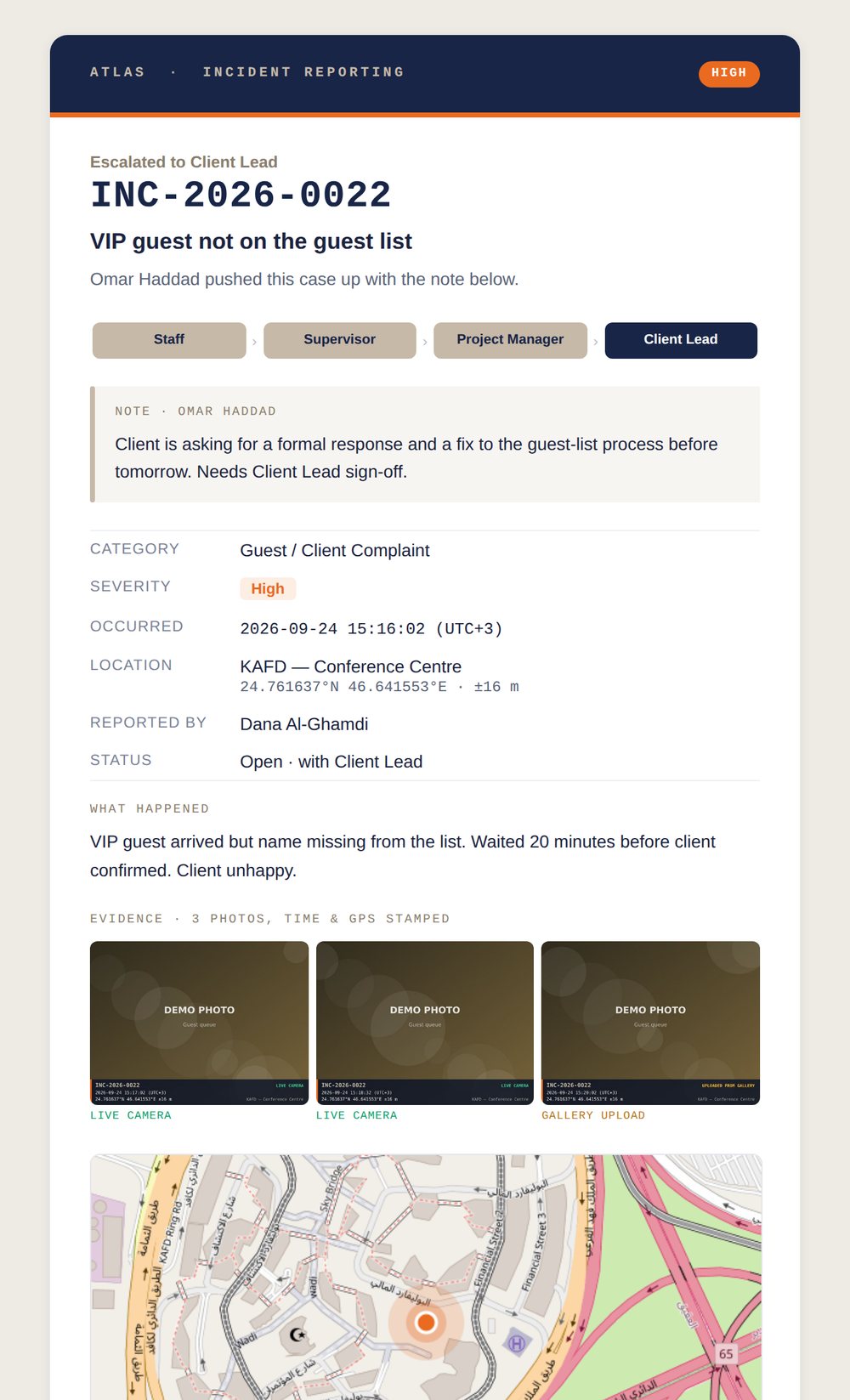
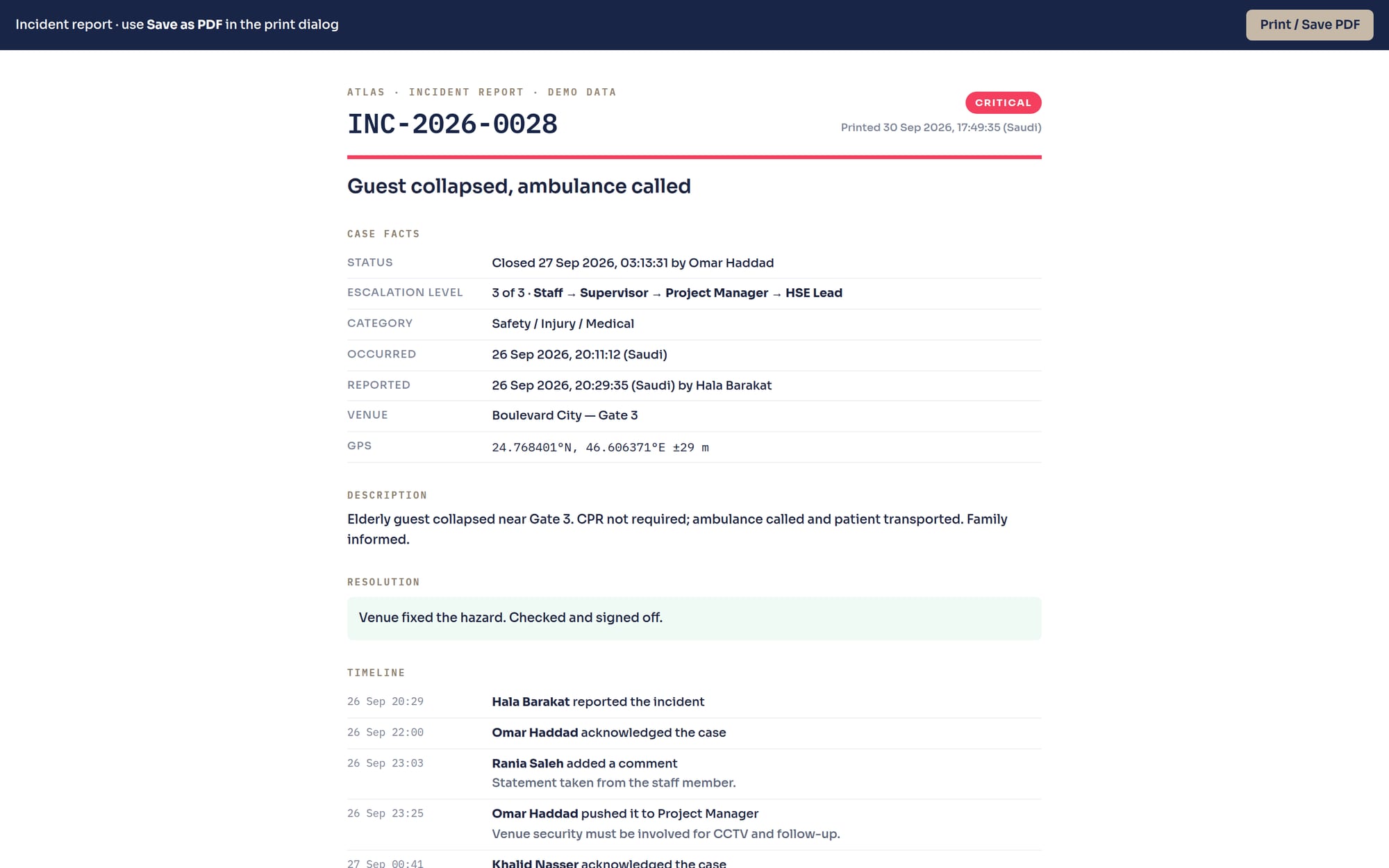
Printable incident report

One-click PDF report

A clean printable report of any case, with its photos, ready to attach or file.

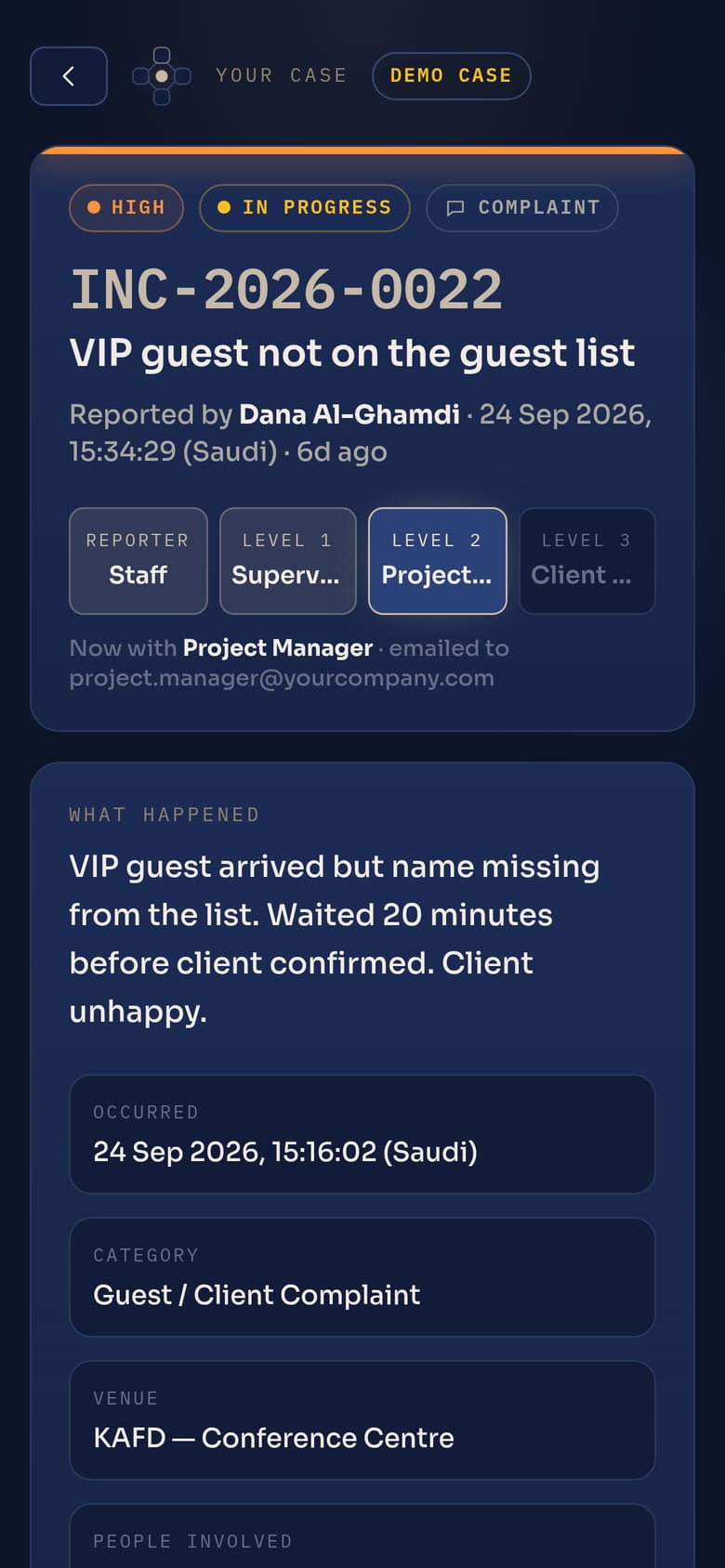
The reporter's tracking page

Reporters can follow up

A tracking page shows staff where their report is, without calling anyone. A CSV export of all cases is also included.

Screens

Every screen, with sample data.

The demo holds 40 sample incidents across 12 Riyadh venues over 30 days. Click any screen to enlarge it, or open the live demo and try it yourself.

What you get

Included today, and tailored at rollout.

Included in the system

  • Phone reporting form (no app install) with automatic GPS and nearest venue
  • Works with no signal: reports are saved on the phone and sent automatically, with alerts to staff
  • Time, GPS and source stamp on every photo, with originals kept
  • Wrong-venue warning and flag
  • INC case numbers, reporter tracking page and email receipt
  • Four-level escalation with required push comments and a full audit timeline
  • Automatic branded emails with photos and map at every step
  • Command Centre: live counters, heat map, needs-attention feed, analytics, case board
  • PDF case reports and CSV export
  • Admin settings for contacts, venues and staff list
  • Password-protected access

Set up with you at rollout

  • Individual logins and roles for supervisors, managers and stakeholders
  • Your own staff list, venues and escalation contacts
  • Your categories, severity levels and response targets
  • Arabic interface for staff
  • Your branding and your own web address

Scope and timing for these are agreed per project.

Try it yourself

See it on your own phone.

Open the live demo, file a report from your phone, watch it arrive in the Command Centre, and push it up the route yourself. The alert emails come to your own inbox.

Live demoreport.atlasnet.sbs/demoNo sign-up needed

Contact TBP · Staffing@TBP.me